
After months of work since the last release, kitty-graphics.el v0.6.0 is out, and it is a big one. Back in the v0.4.0 notes I said I wanted to push terminal Emacs further, all the way to a full-fledged Chromium browser. That sounded ambitious at the time. With v0.6.0 it is here, alongside inline video playback and Kitty graphics that finally work through tmux.
Inline video playback
You can now play actual videos inside terminal Emacs. Not a thumbnail, not a still frame, the real thing with audio, backed by mpv and the Kitty graphics protocol.
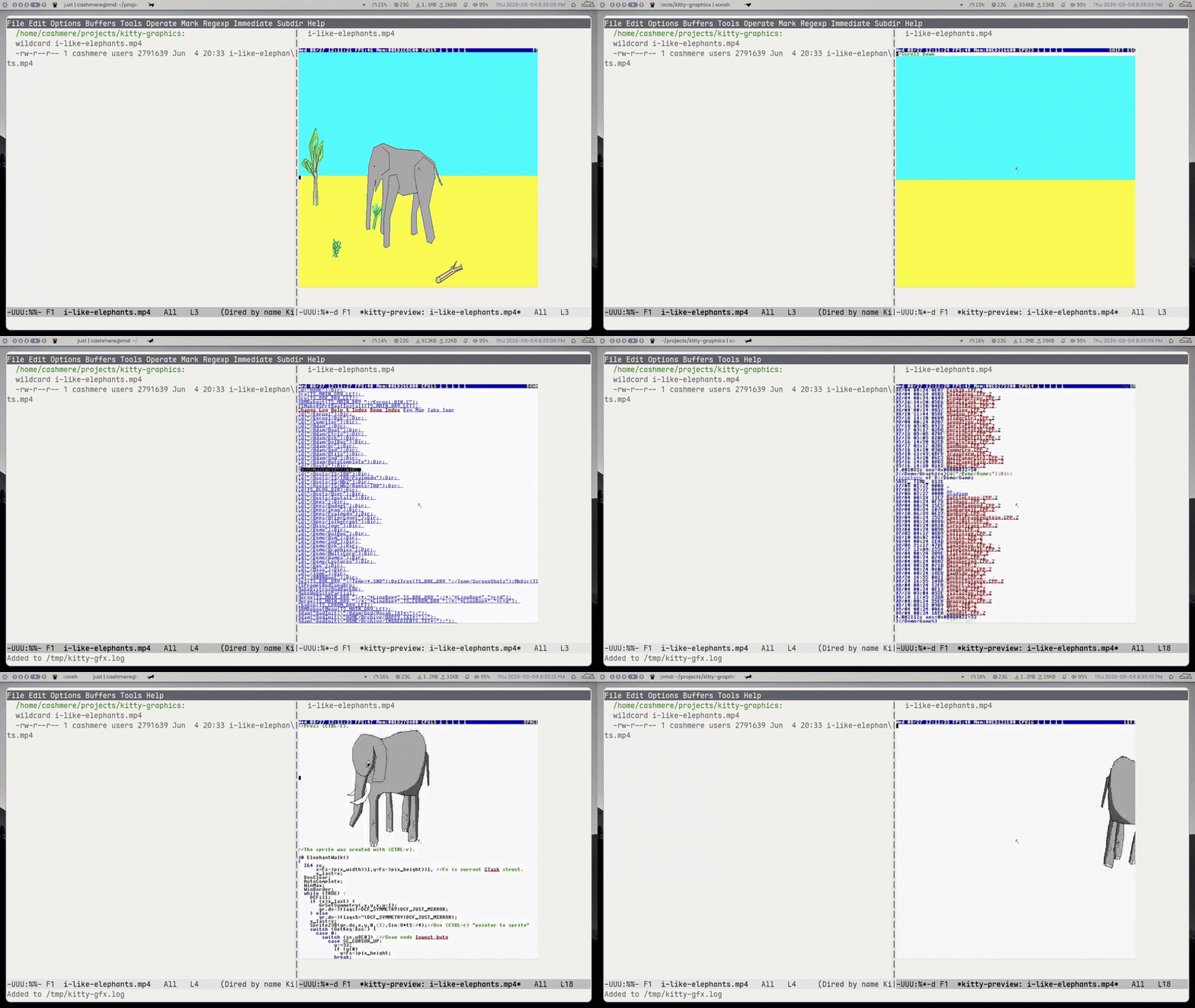
M-x kitty-gfx-play-video opens a video in a dedicated buffer and starts playing. The controls are kept simple:
SPCto pause and resumeqto stop and go back to the previous buffer?to show the keymap
Under the hood mpv runs on a PTY with --vo=kitty, its frame stream is forwarded straight to the terminal, and a small JSON IPC socket drives pause and resume. Only one video plays at a time, and it pauses itself when you scroll it out of view.
dired and dirvish get previews too. Video files show a thumbnail in the preview pane as you move the cursor, and kitty-gfx-dired-play-video (or RET in dirvish) plays them full-frame. The dirvish inline playback is opt-in:
(setq kitty-gfx-dirvish-video-inline-preview t)Big thanks to unship, whose frame-placement work is what made the dirvish video previews possible.
This is Kitty-backend only. The Sixel path re-emits every frame, which is far too expensive for video, so I did not pretend it works there.
Inline web browser
This is the one I teased. kitty-gfx-browse opens a real Chromium page inside an Emacs buffer.
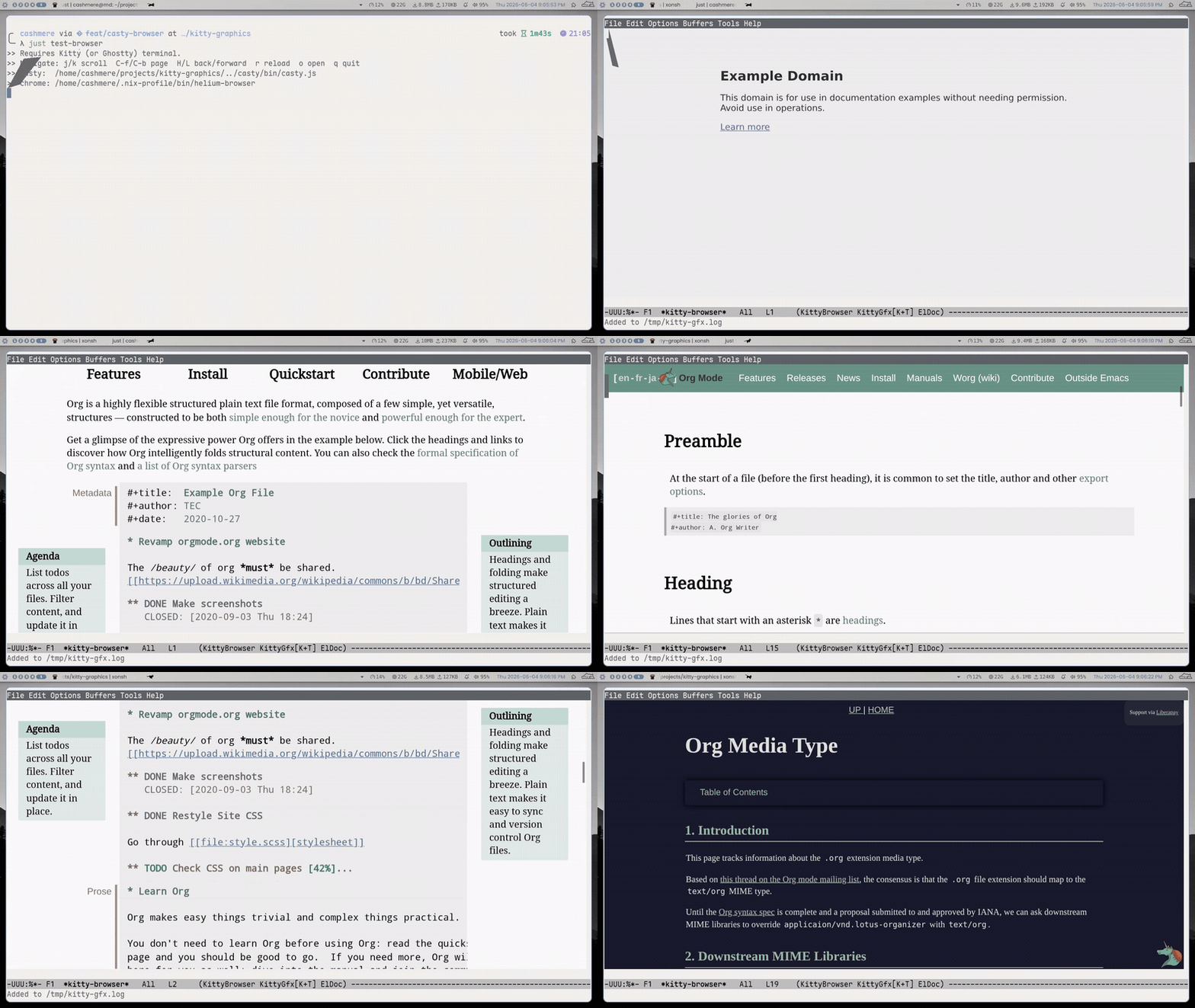
It works by embedding casty, a headless-Chrome bridge (my fork of sanohiro/casty), in a new embed mode. casty renders the page to PNG frames over the Kitty graphics protocol, and Emacs drives it over an IPC socket: scrolling, history, reload, mouse clicks, and Vimium-style link hints. The keybindings are vim-flavoured and mirrored into evil if you use it:
j/kscroll,C-f/C-bpageH/Lback and forward,rreloadoor:to open a URLffor link hints, then type the label to follow itqto quit
Enable it with kitty-gfx-enable-browser and point kitty-gfx-casty-program at the casty launcher. casty ships its own headless Chrome, but you can also point it at a browser you already have:
(setq kitty-gfx-casty-chrome "/usr/bin/chromium")This is experimental and, for now, Kitty terminal only. It is not reliable on Ghostty yet, so I will not promise more than that.
Kitty graphics in tmux
The other half of tmux support landed. v0.5.0 unlocked Sixel inside tmux; v0.6.0 makes the Kitty graphics protocol itself work there. Kitty's APC sequences used to get eaten by tmux, so they are now wrapped in the DCS passthrough envelope when allow-passthrough on is set:
;; on by default
(setq kitty-gfx-tmux-passthrough t)
There is also a new Unicode-placeholder placement mode (kitty-gfx-kitty-placement-mode, auto by default). Instead of placing images at absolute pixel coordinates, the image lives in the multiplexer's character grid as placeholder cells, so pane and window switches are handled by tmux naturally with no ghost images left behind. The detector also recognises Ghostty and WezTerm when they are hidden behind tmux.
One honest caveat: tmux's cell buffer is not pixel-aware, so an image can stick to its old spot after scrolling until those cells are overwritten. That is an upstream tmux limitation, not something the package can fix.
Installation
(use-package kitty-graphics
  :straight (:host github :repo "cashmeredev/kitty-graphics.el")
  :if (not (display-graphic-p))
  :config
  (setq kitty-gfx-enable-video t)
  (kitty-graphics-mode 1))
If you run into bugs or have feature requests, open an issue on GitHub.
Release: v0.6.0 on GitHub